Blueprint Feature History
Player-facing timeline of major builder tools compiled from public Riley announcements—not an official changelog dump.
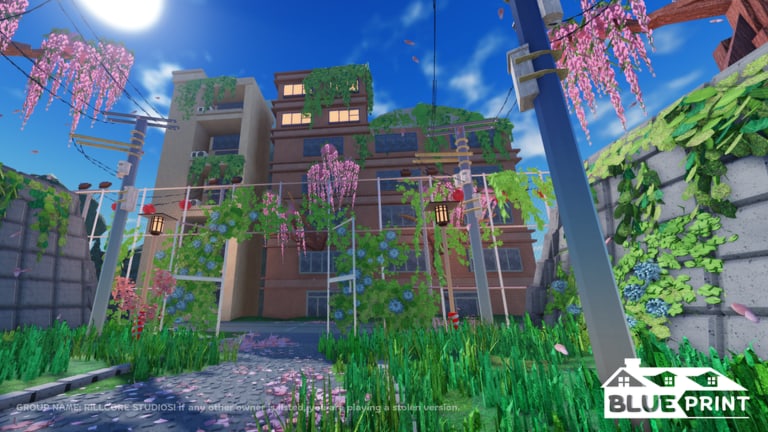
This page is a community-compiled feature history for [PC RELEASE] Blueprint!, the free Roblox building sandbox from Riley (rillcore) / Rillcore Studios. It summarizes major builder capabilities that appeared across public TikTok, YouTube, Discord, Carrd, and Roblox posts during development and the early PC release. It is not an official changelog dump, not a dated patch database, and not a promise that every older clip still matches today’s client.
When exact ship days are unclear, we group work into approximate eras (during development, public testing waves, early PC release) instead of inventing calendar dates. For live patch chatter, start at the Updates hub, then read PC release notes and known bugs. Deep how-tos live under Roofs and Floors, Pools and Basements, Doors and Windows, and Furniture and Decals. Fake paid clones are covered on Spot Fake Games.
Official Blueprint still has no money system and no gamepasses. Feature drops unlock for everyone on the free place (https://www.roblox.com/games/100585702978890/Blueprint). Anyone selling “early feature access” is running a scam.
How to read this timeline
- Public demos first. Many tools showed up in Riley build videos before wiki writers catalogued them.
- Approximate eras only. If a post lacked a clear date, we say “during development” or “early PC release.”
- Verify live. Tools rename, expand, or get bug-fixed; cross-check Discord (
https://discord.gg/U8f3Tynr99) and Carrd (https://rillcore.carrd.co/). - Guide pages own the how-to. This page owns the “what shipped in spirit” story.
Roofs: hollow gable, skylights, and the roof menu
Early public showcases leaned hard on hollow gable roofs, then expanded the roof menu with skylights and ceiling windows so interiors could borrow sky light without punching crude holes. Builders learned to place walls first, then roof families, then fine openings—because hollow volumes and ridge lines punish rushed order. Practical overhang and clipping habits live on Roofs and Floors. Roof clipping itself has been a recurring early-dev theme; treat the clipping tool as a first-class fix path, not a shame button.
Hip, pyramid, hollow pyramid, and more silhouettes
As the toolkit matured, public posts highlighted hip roofs, pyramid roofs, and hollow pyramid variants alongside flat and scillion-style options already discussed in community guides. The design goal was silhouette variety on the same 1024×1024 plot without forcing every mansion into one gable language. When a new roof family lands, re-test a small sample before converting a 15-floor showcase—see known bugs if intersections return after a patch.
Custom overhangs on all four sides
A major quality-of-life beat was per-side overhang control (all four sides) so eaves could match asymmetric footprints. Public messaging framed this as relief from roof clipping frustration: instead of fighting a uniform overhang, builders dial each edge. Combine overhang passes with the roof clipping tool and measurement panel when available. This wiki’s roof guide walks the durable parameters; Discord owns the latest hotfix notes.
Pools and basements
Water and underground space arrived as first-class story tools, not props. Public feature notes describe swimable pools with depth, color, transparency, and wave controls, plus basements for vertical programs under the main plate. Best practice from community builds: negotiate pool edges and basement shells before final landscape so structure and water meet once. Full workflows sit on Pools and Basements. Performance-minded builders should still budget wave volumes on huge plots—see large plot performance when FPS dips near atriums.
Decals and paintings by asset ID
Customization expanded beyond catalog art: decals and paintings that accept any asset ID let creators brand galleries, posters, and façade graphics. Color wheels, palettes, and palette saving often ship in the same “paint identity” era of posts. Keep a personal ID list offline; paint-copy quirks have appeared in early bug trackers. How-to detail belongs on Furniture and Decals.
Doors that open, then garage doors and more types
Interactive doors that open and close turned plots from dioramas into walkable spaces. Later public updates and demos added garage doors and additional door types so vehicle bays and service wings felt intentional. Placement offset has been a reported early issue—nudge carefully with advanced movement and place doors before dense furniture. Until a dedicated doors guide exists on this wiki, treat door swing tests as part of Building Basics circulation checks and re-test after patches listed on known bugs.
Catalog growth: mailboxes, garden, kitchen, custom lighting
Riley’s modeling pipeline and public set drops repeatedly expanded the 900+ item catalog: mailboxes and curb appeal props, garden kits, kitchen sets, and custom lighting pieces that pair with atmosphere controls. Counts change as modelers deliver; treat “900+” as a snapshot. Leaderboards for items placed should not push meaningless spam—readable rooms convert better than raw part totals.
Advanced free movement on items (including walls)
A defining Blueprint feel is advanced free movement on items, including walls, so alignment fixes do not require deleting whole runs. Combined with precise placement, builders micro-adjust façades, door frames, and roof-adjacent trims. This movement model is why co-op permissions matter: a guest with edit rights can reshape structure quickly. Pair movement mastery with the build checklist before inviting collaborators.
Freecam, multi-select saves, Edge Scroll, atmosphere, UI themes
Quality-of-life systems showed up across development clips and early release notes:
- Freecam for cinematic reviews and trailer orbits
- Multi-select custom saves for reusable kits and safer iteration
- Edge Scroll for long elevations without constant pivot resets
- Atmosphere lighting (realistic vs soft moods) plus broader lighting passes from tester feedback
- Dark / light UI for long detailing sessions
These tools do not replace structural skill, but they define Blueprint’s “serious sandbox” pitch beside plot scale (1024×1024, up to 15 floors).
PC early release, testing waves, and fake game warnings
Public posture moved through private/public testing waves into PC early release, with mobile later and no firm public date. Riley and Carrd messaging repeatedly warn about fake games that charge Robux or clone branding. Play only the official place, follow Group 8133941 / Carrd links, and read Spot Fake Games plus PC release notes before trusting a thumbnail.
Applications for 18+ testers, furniture modelers, and creators often precede visible catalog or tool drops—community context lives under Players.
What this page will not do
- Invent exact ship dates when public posts did not state them
- Pretend to replace Discord announcement channels
- List every furniture mesh as a “feature”
- Claim parity with internal Riley docs after every hotfix
When this timeline and a live Discord post disagree, trust the developer. Then return here for the durable map of systems you should still know how to use.
Related wiki pages
- Updates Hub — early-dev posture and where patches appear
- PC Release Notes — what PC early release means today
- Known Bugs — reported themes to re-test after drops
- Roofs and Floors — roof families, overhangs, clipping habits
- Pools and Basements — swimable water and underground shells
- Furniture and Decals — sets, transform, any-ID art
- Spot Fake Games — paid clones and identity checks
Blueprint’s feature story is still being written in public. Use this community timeline to orient, then verify on official channels before you rebuild a fifteen-floor roof for the third time.
Frequently Asked Questions
Quick answers to the most common questions.
Is this an official Blueprint changelog?
No. It is a community-compiled player-facing history from public Riley posts. For live announcements, use Discord, Carrd, and the Updates hub.
Why are some entries undated?
When public posts did not give a clear ship day, this page uses approximate eras such as during development or early PC release instead of inventing dates.
Where do I learn how to use new roof or pool tools?
Use the Guides hub pages for roofs/floors and pools/basements. This Feature History page explains what arrived; the guides explain how to build with it.
Did Blueprint add paid feature unlocks over time?
Official Blueprint remains free with no money system and no gamepasses. Paid unlocks belong to fake games—see Spot Fake Games.
What should I re-test after a big feature drop?
Re-test roofs, paint/materials, doors, and your multi-select kits on a small sample, then check known bugs and Discord for hotfix notes.