Blueprint Custom Shapes and Placement
Advanced free movement, transforms, and off-grid detailing without wrecking your grid.
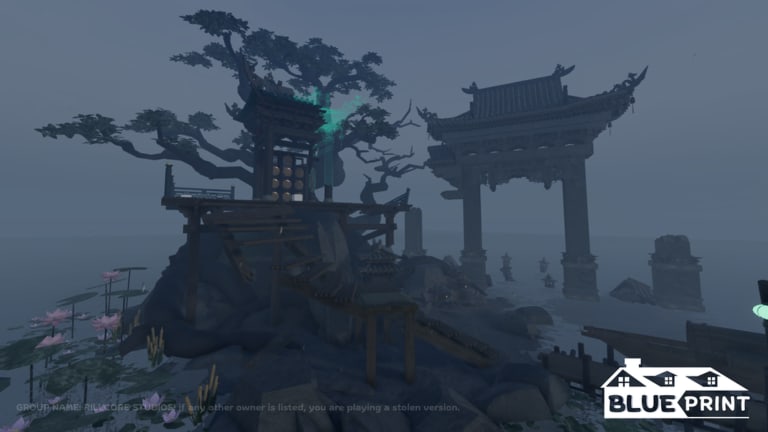
Custom shapes and precise placement are how Blueprint builds move from “box house” to memorable architecture. This guide covers advanced free movement on items including walls, transform controls, micro-placement habits, custom-shape detailing (fireplaces and similar accents called out in Riley’s vision videos), and the balance between off-grid creativity and grid structure. Read Building Basics and Controls first. Apply the ideas on a starter shell from First House Layout before detailing a whole 1024×1024 plot.
Blueprint by Riley / Rillcore Studios remains a free PC early release sandbox—no money system, no gamepasses—with up to 15 floors and 900+ items. Advanced movement is part of the legitimate toolkit, not a paid unlock. Confirm you are on the official place.
Grid for structure, free movement for craft
Use the grid to own the big decisions: floor plates, wall runs, roof perimeters, stair stacks. Use advanced free movement to solve the last inch: chimney seats, mantel overlaps, rotated trims, wall-embedded accents, and facade jewelry that would look wrong if snapped coarsely.
Rule of thumb:
- If it carries the building, stay on-grid.
- If it dresses the building, free movement is allowed—after the carrier is locked.
Breaking that order is how plots become un-editable spaghetti.
Advanced free movement on items (including walls)
Blueprint supports advanced free movement across placeable items, walls included. That matters when:
- A wall needs a slight inset for a niche or thickened pier
- A door sits offset and needs a micro-nudge (Doors and Windows, Known Bugs)
- A fireplace mass should read custom instead of flush-default
- Exterior trims need to kiss roof overhangs without z-fighting
Workflow:
- Place the piece as close as grid allows.
- Enter advanced free movement / transform controls.
- Nudge in small increments while freecaming from two angles.
- Walk with B to ensure avatars still clear the volume.
- Multi-select the solved assembly and custom-save it before repeating freehand elsewhere (Speedbuild Tips).
Free-moving every stud of a long exterior wall is usually a mistake—fix the origin, then free-move only the accent segment.
Transforms without losing the plot
Transforms (move/rotate/scale-style controls depending on the live item tools) let you tune pieces beyond default sockets. Stay disciplined:
- Rotate in intentional steps for structural pieces; save wild angles for décor.
- Avoid micro-rotating load-bearing walls that roofs must sit on (Roofs and Floors).
- After any transform near openings, re-test door swings and window sightlines.
- Recheck lighting in realistic and soft atmosphere—tilted surfaces catch light differently (Lighting and Atmosphere).
Custom shapes for fireplaces and focal accents
Riley’s “what it’s going to be like” messaging highlighted custom shapes for elements such as fireplaces—builders composing a focal mass instead of dropping a single stock prop. On your plot:
- Block the fireplace volume with simple shapes aligned to the room grid.
- Carve or layer smaller pieces for mantel, hearth, and surround.
- Free-move trim pieces for tight reveals.
- Paint with color wheel / palettes, then add decals if needed (Furniture and Decals).
- Save the whole hearth as a custom kit for other rooms.
The embedded Fairyland-style build video mid-article is useful for seeing expressive placement energy—then dial that energy into one focal wall so the rest of the house stays calm.
Precise placement habits
Precision is a checklist, not a talent myth:
- Pick a shared origin corner for each wing.
- Place temporary marker scraps at midpoints on long spans; delete after the real piece lands.
- Edge Scroll along a run to spot drift early.
- Freecam above and at eye level—errors hide in one view.
- Stop every few minutes to walk; free movement can create beautiful clips that block avatars.
Basements and pool edges especially punish sloppy freehand—coordinate with Pools and Basements.
Off-grid detailing vs grid structure
Stay on-grid for: exterior wall crowns, primary floor plates, roof bases, major stair wells, garage openings, breezeway connectors.
Go off-grid for: mantel layers, window flower boxes, irregular garden props, asymmetrical gable ornaments, artful interior shelves, storybook cottage quirks.
When off-grid pieces touch on-grid structure, finish the structural neighbor first and save it. Off-grid work should be deletable without collapsing the shell.
Co-op and permissions caution
Advanced placement is fragile in co-op. Before friends edit a free-moved facade:
- Store multi-select saves of the solved area.
- Agree who owns freehand zones versus grid zones.
- Avoid “everyone” edit mode on delicate interiors (Plot Permissions).
Practice project
- Build a one-room on-grid box with a centered chimney wall.
- Compose a custom fireplace from layered shapes.
- Free-move only the mantel and side trims.
- Micro-nudge one interior door if it sits off.
- Freecam, walk, then custom-save the hearth kit.
- Stamp the kit into a second room and recolor—do not rebuild from scratch.
Optional: add one off-grid exterior shelf under a window, then landscape lightly (Landscaping and Exteriors).
When not to freehand
Skip advanced free movement when:
- You are still learning bay widths on house one
- Roof crowns are unfinished
- You are mid speed-challenge massing (Speedbuild Tips)
- Object count is already high and you cannot afford experimental duplicates (Build Checklist)
Return to grid basics anytime the plot feels uncontrollable. Compare genre goals on Blueprint vs Bloxburg if you catch yourself grinding instead of composing. Browse more tutorials on the Guides Hub and keep Discord (https://discord.gg/U8f3Tynr99) plus Carrd (https://rillcore.carrd.co/) nearby for tool updates.
Custom shapes shine when the grid already tells a clear story. Lock structure, then earn every off-grid millimeter with freecam, walk tests, and saved kits.
Frequently Asked Questions
Quick answers to the most common questions.
Can I free-move walls in Blueprint?
Yes. Advanced free movement applies to items including walls. Use it for micro-adjustments after the main wall run is placed on-grid.
What are custom shapes used for?
Composing focal pieces—such as layered fireplaces—from multiple shapes instead of a single stock prop, as highlighted in Riley’s feature vision clips.
Should my whole house be off-grid?
No. Keep structural floors, walls, and roof bases on-grid. Reserve off-grid movement for detailing that sits on top of a stable shell.
How do I fix a slightly offset door?
Retry placement from a consistent camera angle or micro-nudge with advanced free movement. See Doors and Windows plus Known Bugs for tracked offset notes.
How do I reuse a custom fireplace?
Multi-select the finished hearth assembly, store a custom save, then stamp and recolor it in other rooms.