Blueprint Large Plot Performance Guide
Habits that keep 1024×1024, 15-floor Blueprint showcases playable during PC early release.
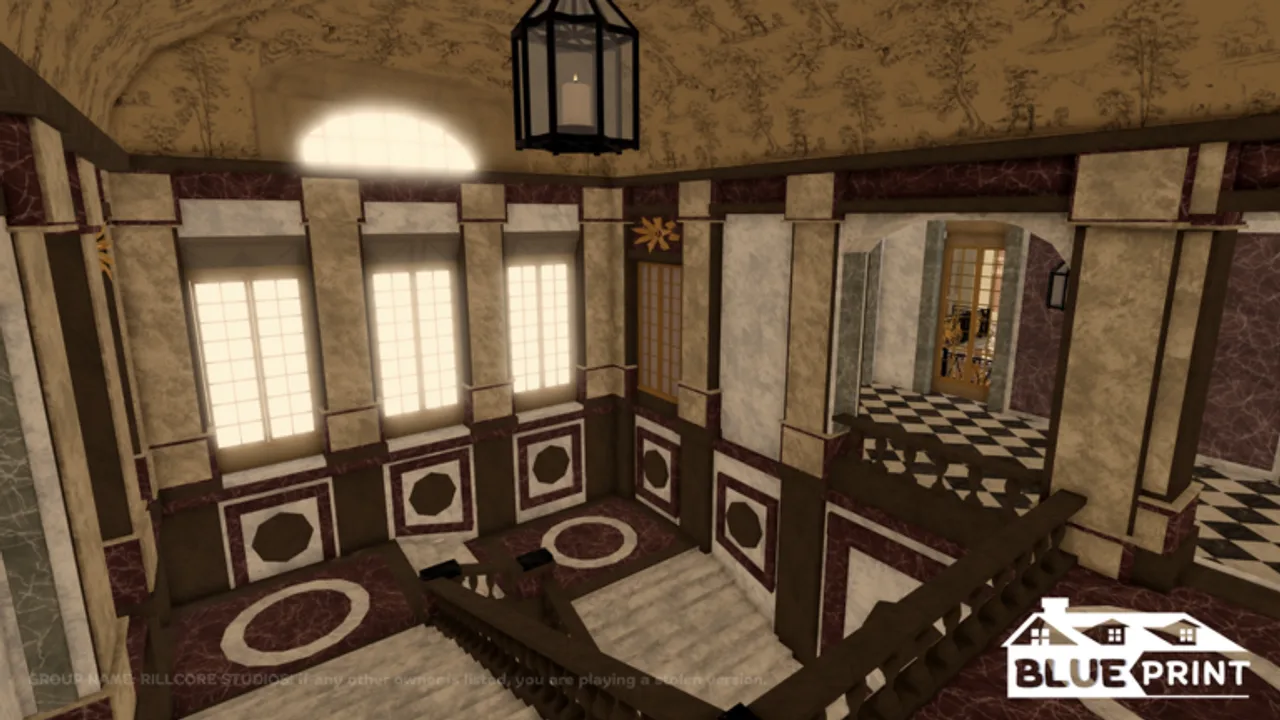
Blueprint gives you a 1024×1024 stud plot and up to 15 floors, plus a catalog past 900+ items. That canvas is the point of the free Rillcore Studios sandbox—and it is also where mid-range PCs start to hitch if you decorate every surface at once. This Tools page is a practical performance playbook for huge plots during PC early release: batch furniture, reuse multi-select kits, budget lights and water, review with freecam on purpose, and know when to simplify. Pair it with the build checklist, Building Basics, Lighting and Atmosphere, known bugs, and the rest of the Tools hub.
Official Blueprint has no money system and no gamepasses. Nobody can sell you a “FPS unlock.” If a clone place charges Robux for smoother plots, leave and return to the verified experience on Official Links.
Why large plots feel heavy
A quiet shell with clear circulation often feels fine. Problems appear when you combine:
- Unique meshes on every balcony instead of repeated kits
- Dense transparent water (pools) next to glass and decals
- Dozens of unique any-ID paintings on one façade
- Point lights or glowing props in every room of a 15-floor stack
- Continuous freecam flights through unfinished interiors
- Co-op guests editing while you also thrash atmosphere presets
Early PC release builds are still polishing roofs, materials, and menus. Some hitching is the client; some is your density. Separate the two with a small test wing before you blame the whole tower—see known bugs when a tool itself is misbehaving.
Batch furniture instead of sprinkling everything
Treat the catalog like a construction schedule, not a shopping spree.
- Finish exterior massing and primary floor plates first (Building Basics).
- Furnish one hero room completely (palette, lighting sample, door swing).
- Clone that room language with multi-select custom saves rather than hand-placing every chair uniquely.
- Dress secondary rooms with lighter prop counts; reserve ultra-dense detail for camera hero spaces.
- Landscape and exterior props last so you can cut them first if FPS drops.
Batching also protects co-op sessions: collaborators know which wing is “live” versus locked shell. Keep permissions intentional so guests do not fill empty floors with unique clutter while you are optimizing another wing.
Multi-select kits are your FPS friends
Reusable kits beat one-off sculptures for performance and iteration speed.
- Save stair cores, window bays, balcony modules, and roof overhang samples as named multi-select sets.
- Prefer consistent low-poly furniture families across floors when the modeling pipeline offers matching sets.
- Duplicate a kit, then swap two hero pieces for variety instead of inventing twenty unique desks.
- Keep a “scrap corner” kit for risky experiments so failed density tests never live inside the showcase lobby.
Speed-building habits belong here too: shell → kit → paint → light. The build checklist sequences that loop for new plots; this page focuses on what happens after the shell is tall.
Light, water, and decal budgets
Pretty systems cost the most when overused.
Lights. Avoid redundant fixtures in the same volume. One well-aimed ceiling light plus atmosphere settings often reads better than eight overlapping glows. Tune mood from Lighting and Atmosphere before cloning light props up fifteen floors.
Pools. Swimable water with depth, color, transparency, and waves looks fantastic. Cluster pools thoughtfully; stacking many wave volumes beside glass atriums can hitch freecam. Swim-test early, then seal railings—do not discover FPS pain after you wall in a courtyard fountain farm.
Decals and paintings. Any-asset-ID images are powerful. Cap unique high-res images per elevation. Reuse a small ID list for repeating gallery walls. Store IDs offline so you can rebuild without re-searching if a client hitch interrupts a mass place.
Atmosphere. Experiment on a copy kit or a side wing. Thrashing global lighting on the only showcase save mid-stream wastes time and can mask whether hitching came from lights or geometry.
Freecam reviews without melting the client
Freecam is excellent for ridge lines, atrium voids, and trailer shots. It is a poor substitute for constant navigation.
- Use freecam in short purposeful passes: roof edges, pool reflections, upper-floor silhouettes.
- Press B to leave build mode and walk circulation like a visitor—walking often feels smoother and catches pathing issues freecam misses.
- Use Edge Scroll along long elevations instead of resetting the camera pivot every few studs.
- After a dense furniture dump, rejoin the plot server once before a long freecam film; early-release sessions sometimes recover after a clean join.
If freecam alone stutters while walking feels fine, reduce transparent stacks and unique decals in the camera path first.
When to simplify a showcase
Simplify on purpose when:
- Guests hitch near the spawn before they see your hero room
- Roof + pool + gallery wing combinations drop frames every orbit
- Co-op edit sessions feel unresponsive with three builders active
- You are filming content and the client cannot hold a smooth orbit
Simplification order that preserves the story:
- Cull duplicate lights and overlapping transparent props.
- Replace unique balcony clutter with repeated kits.
- Reduce unique decals on non-hero façades.
- Thin upper-floor furniture if visitors rarely enter those rooms.
- Keep structural drama (roofs, atriums, pools) unless a known roof/material bug is forcing rebuilds (known bugs).
A lightweight lobby pad near spawn still helps: guests load a calm pad before touring heavy galleries.
PC early release expectations
Blueprint’s supported desk today is PC. Mobile is planned later with no firm public date. Performance habits here assume keyboard/mouse freecam and large desktop plots. After Discord patches, re-test roofs, paint copy, and materials on a small sample before re-densifying a 15-floor tower. Follow Riley channels via Discord (https://discord.gg/U8f3Tynr99) and Carrd (https://rillcore.carrd.co/) rather than paid “optimization” Discords.
Leaderboards for likes, visits, playtime, and items placed should not push you into particle or prop spam that tanks visitors. Impressive circulation and readable lighting convert better than raw part count.
Session routine for huge plots
- Confirm official place and plot permissions (Tools hub).
- Work one zone to a milestone; multi-select save the kit.
- Budget lights/water/decals before cloning the zone upward.
- Walk with B, then short freecam passes.
- If hitching appears, simplify in the order above, then rejoin once.
- Screenshot milestones; skim Updates after patches.
Related pages
- Build Checklist — new-plot pre-flight and hourly audits
- Building Basics — massing, grid, and save habits that prevent sprawl
- Lighting and Atmosphere — mood without redundant fixtures
- Known Bugs — when hitching is a tool defect, not density
- Tools Hub — permissions, UI habits, mobile wait status
Large Blueprint plots reward discipline. Batch furniture, reuse kits, budget the pretty systems, review with intent, and simplify before you burn the showcase. That is how a 1024×1024, 15-floor build stays fun to visit during early PC release.
Frequently Asked Questions
Quick answers to the most common questions.
Why does my 15-floor Blueprint plot stutter?
Dense unique furniture, overlapping lights, heavy pools, and many unique decals add cost. Work in zones, reuse multi-select kits, and simplify non-hero floors first.
Do multi-select custom saves help performance?
Yes. Repeating kits reduces unique placement chaos and makes it easier to thin density later without rebuilding every room by hand.
Should I freecam the whole plot constantly?
No. Use short freecam reviews for roofs and atriums, then walk with B for circulation. Long freecam flights through unfinished interiors cost more.
Is there a paid FPS boost for Blueprint?
No. Official Blueprint is free with no gamepasses. Paid “performance unlock” places are scams.
When should I simplify instead of adding more items?
Simplify when guests hitch at spawn, orbits drop frames, or co-op edits feel laggy. Cull redundant lights and unique props before cutting structural drama.