Blueprint Players & Community
Discord, applications, and scam checks for [PC RELEASE] Blueprint! builders.
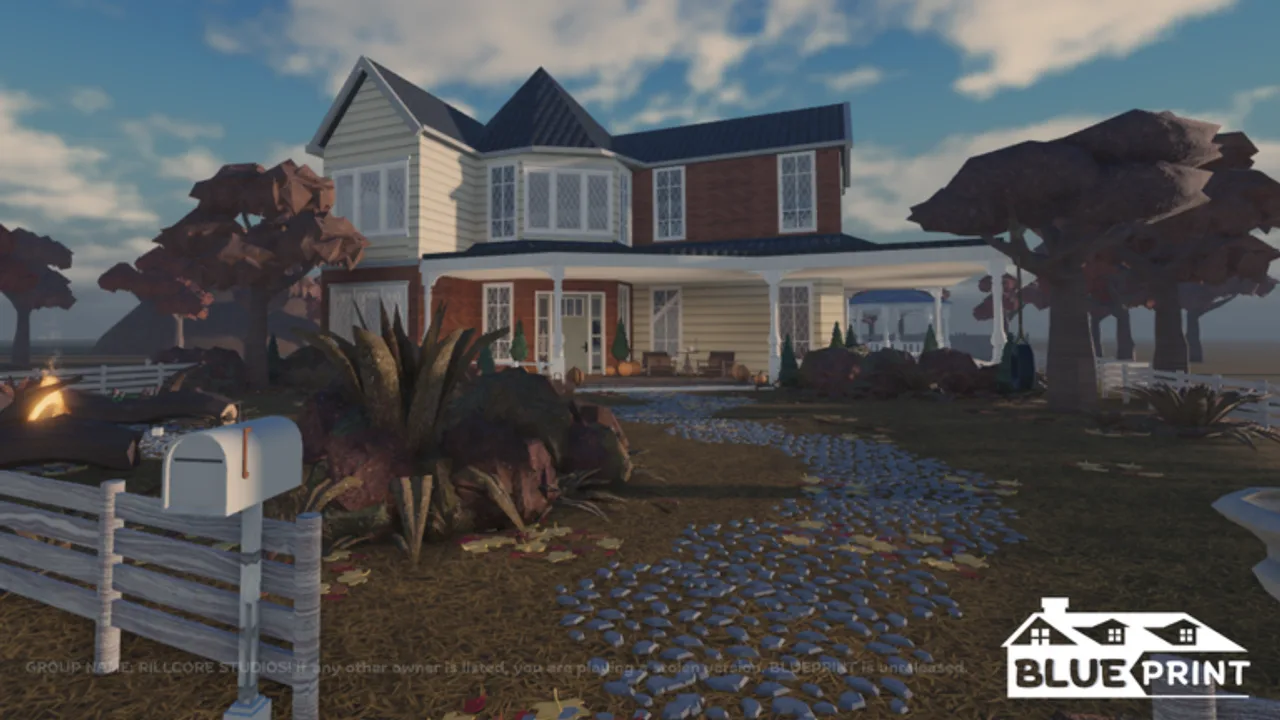
The Players hub is the community map for [PC RELEASE] Blueprint! — Riley (rillcore) / Rillcore Studios’ free Roblox building sandbox. Use it to join the right Discord, find studio applications, verify the real group, and avoid paid lookalikes. This is not a combat roster; Blueprint has characters only in the sense of builders on plots, with online co-op and plot permissions.
Quick facts: no money system, no gamepasses, plot size 1024 x 1024 studs, up to 15 floors, PC early release with mobile later. Full link bundle sits on Official Links.
Official Discord
Primary community home: https://discord.gg/U8f3Tynr99
Expect patch chatter, bug reports, showcase screenshots, and application posts here before random Roblox comments. When people ask about codes, scripts, or “VIP Blueprint,” moderators and pinned links beat YouTube descriptions. Pair Discord with Carrd (https://rillcore.carrd.co/) for structured docs (features / bugs Google Docs when linked).
Never accept DMs that ask for passwords, backup codes, or “verification bots” promising free furniture. Real staff will not need your account.
Rillcore Studios group
Join and follow Rillcore Studios on Roblox — community / group ID 8133941. Group walls and shoutouts can mirror major milestones. Still open the experience from the verified place URL: Blueprint on Roblox (universe ID 9505284283).
Applications (who the studio looks for)
Community posts have pointed builders toward roles such as:
- Tester (18+) — reproduce roof, floor, paint, and material issues during early development; clear written steps help Riley more than vague “game broken” messages. See bug themes on the Updates hub.
- Furniture modeler — catalog quality matters when the experience already ships 900+ items; on-brief props beat random free models.
- Content creator — walkthroughs, timelapses, and honest early-access footage. Freecam and Edge Scroll make filming easier; do not promote executor malware (Scripts hub).
Apply only through official Discord / Carrd instructions. Third-party “hiring” Discords that charge application fees are fake.
How co-op players should organize
Blueprint supports building with friends. Practical habits:
- Agree who owns the plot server and who holds plot permissions.
- Share a palette + atmosphere target before detailing (see Tier List).
- Multi-select custom-save modular kits so collaborators are not blocked by one person offline.
- Use B to leave build mode when reviewing circulation together.
- Keep a small post-patch re-test ritual from the Tools hub.
Each plot can be its own server—great for focused work, easy to fragment if nobody tracks the “source of truth” save.
How to avoid fake Blueprint games
Scam and clone patterns are common enough that this wiki keeps a dedicated walkthrough: Spot Fake Games. Skim these red flags, then read that page before you join anything a friend forwards:
- Experiences that demand Robux to unlock building, floors, or “admin”
- Near-identical thumbnails with different creators
- Places advertising codes, cash, or spin wheels for Blueprint (the real game has no currency)
- Off-platform sites selling “Blueprint script keys”
Verification checklist:
- Title matches [PC RELEASE] Blueprint! style naming on the live page
- Creator / group traces to Rillcore Studios / Riley
- Discord invite matches
https://discord.gg/U8f3Tynr99 - Carrd and group links match Official Links
- No gamepass required to place basic structures
Report fakes with Roblox reporting tools. Warn friends in your server instead of boosting clone SEO. For co-op allowlists on the real game, use Plot Permissions.
Social discovery inside the game
Leaderboards for liked, visited, playtime, and items, plus profiles, help players find ambitious builds. Treat them as discovery—not pay-to-win ladders. If you create content, deep-link your Roblox profile and the official place; avoid bundling malware “fps unlockers” in video descriptions.
Related wiki pages for community members
- Official Links — Discord, Carrd, group, play URL, wiki hubs
- Updates Hub — early PC posture and bug themes
- Codes Hub — honest empty promo-code status
- How to Redeem Codes — safe habits if codes appear
- Guides Hub — expanding how-to coverage including Plot Permissions
- Spot Fake Games — verify free official Blueprint before you join
- Tier List Hub — which build features to teach newcomers first
Community etiquette (short)
- Credit collaborators on showcases
- Do not steal decal workflows that violate Roblox rules
- File bugs with steps, platform (PC), and whether freecam / roof tools were involved
- Keep feedback constructive; early development moves faster with reproducible reports
Blueprint’s player base is a creator community. The strongest flex is a walkable plot—not a paid badge from a fake group.
Frequently Asked Questions
Quick answers to the most common questions.
What is the official Blueprint Discord?
https://discord.gg/U8f3Tynr99 — use this invite and cross-check Carrd before joining lookalike servers.
How do I apply as a tester or modeler?
Watch official Discord and Carrd for application posts. Tester roles are commonly 18+. Ignore third parties that charge fees to apply.
Is there a Roblox group?
Yes. Rillcore Studios (group 8133941). Still launch the game from the official place URL, not random group ads alone.
How can I tell a fake Blueprint game?
If it charges Robux to build, invents a cash system, or is not tied to Rillcore Studios / the known place ID, leave and report it.
Does Blueprint support playing with friends?
Yes. Online co-op building with plot permissions is supported, and plots can run as their own servers.